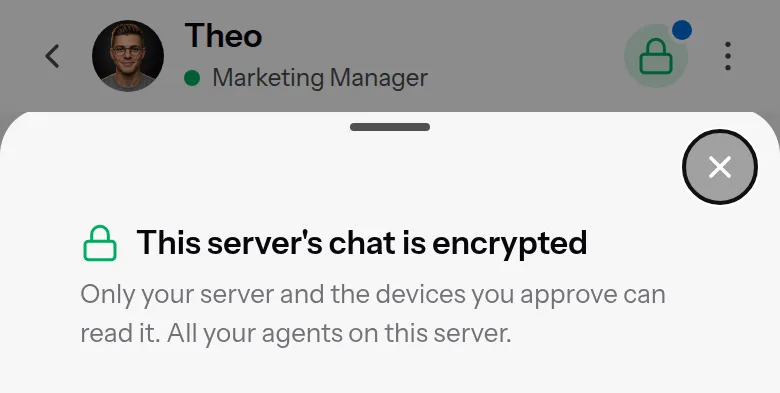
How encrypted chat with your 5dive agents works

turn it on and your messages cross our servers as scrambled text. the keys sit on your phones and your server.
End-to-end encryption in the 5dive app is optional, one switch per server. Our servers still see who talked to whom and when, and your agent still sends the conversation to its AI.
I checked every claim below against the code and on a live server on 6 November 2026.
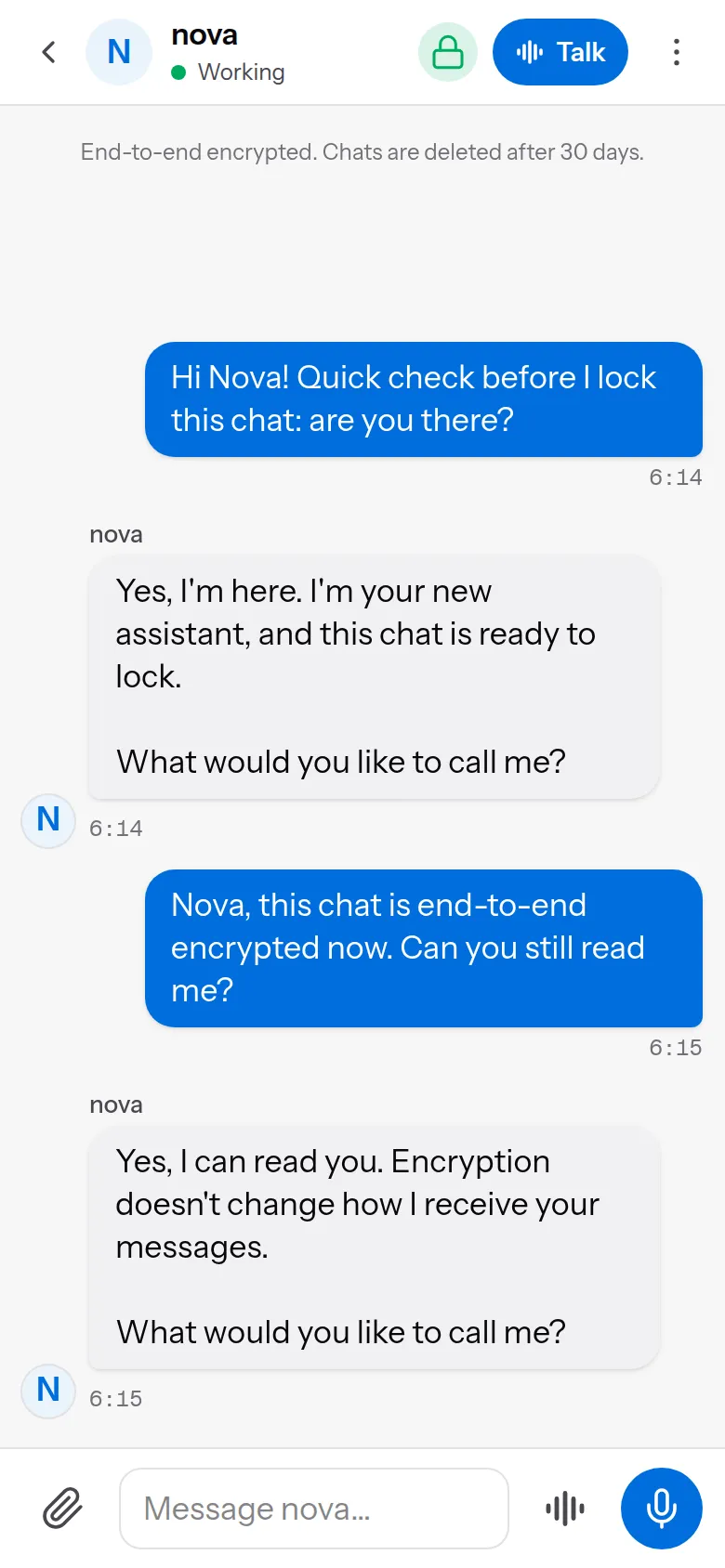
Off vs on
Off (the default): our relay can read the text, like most chat apps. A notification shows the first 140 characters of the reply, and our server builds the preview you see in the chat list.
On:
- Each message is sealed on the device that writes it. Only your devices and your server can open it.
- Our relay refuses plain text in that chat, in both directions, so neither side can quietly fall back.
- A notification only says “New message from Nova”, and our server sends no preview to the chat list.
Where the keys live
There are two kinds of key, both ECDH on the P-256 curve:
- One for your server. Root makes it and keeps it in
/etc/5dive/chat-e2e/: the folder is 0700 and every file in it is 0600. Your agents can’t read it. An agent asks root to seal or open each message. Root writes the agent’s name into everything it seals, so one agent can’t speak as another. - One for each phone or browser. The app makes it in the browser and stores it in IndexedDB as non-extractable. Code on the page can use the key but can’t read it out.
The crypto is plain WebCrypto, with no library. The app and your server run byte-identical copies of the envelope code.
Each message gets its own random key, and that key encrypts the message with AES-256-GCM. The message key is then wrapped once for each reader, under a key that ECDH plus HKDF-SHA256 derive for that sender and that reader. This is what our database stores for one message:
{ "h": { "v": 1, "s": "box", "c": "130", "m": "...", "d": "out", "t": 1793945721598, "salt": "..." },
  "iv": "...", "ct": "...",
  "k": { "<your phone>": { "iv": "...", "w": "..." }, "<your laptop>": { "iv": "...", "w": "..." } } }
The header h holds the version, sender, chat, message id, direction and time, and it’s authenticated along with the body. Each reader’s wrap also covers a SHA-256 hash of the encrypted body. Without that hash, any reader who has the message key could swap in a new body under everyone else’s wraps. A test tries exactly that swap, and it fails if the hash is ever dropped.
A reader takes the sender’s key only from the device list your server sealed and sent to it, never from the envelope or our API.
What our relay can and can’t read
Can’t read: your messages, the agent’s replies, files and voice notes, the answer buttons an agent shows you, or the agent’s “working on…” line. Files travel as sealed blobs under meaningless names.
Still sees:
- which agent a message is from or for, and when
- how big each message is, and whether the agent is working
- who you @mentioned in a group chat (that’s how the message reaches the right agent)
- each device’s public key and whether it’s approved
Every chat is deleted from our servers 30 days after it’s sent. You can delete a chat sooner in the app.
Turning it on
On a 5dive server we host: tap ⋮ in any agent’s chat, then Encrypted chat, then the switch. You don’t run anything. Your browser makes its key and a one-time pairing secret, and our API passes the secret to your server once, on standard input. We don’t keep a copy: it isn’t in a log and it isn’t in our database.
We run that machine, so the claim there is narrower: our relay and database only ever hold scrambled text. It’s not that we couldn’t read your chats. If you need “not even the host can read it”, run the server yourself.
On your own server: tap the grey lock in any agent’s chat. Your browser makes the same key and secret, then shows you a line to run on your server:
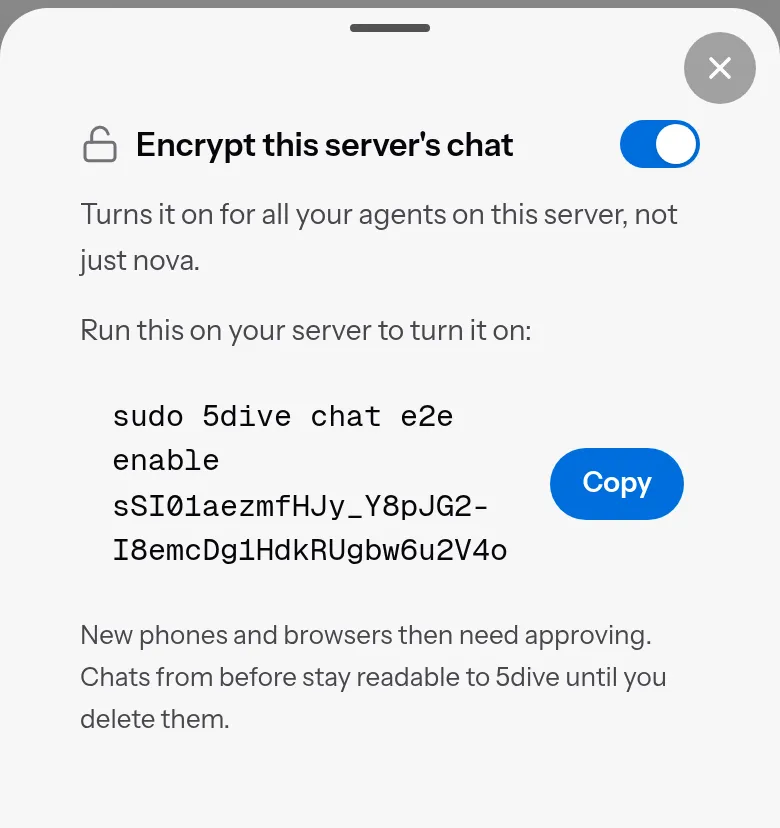
The secret only exists in that line, so it never reaches our API. Both sides use it to prove their public key with an HMAC, so our API carries both keys but can’t swap either one for its own. On my test server, the lock went green within 16 seconds of running the line. The server published its key, approved my browser and deleted the secret.
Either way, the switch covers every agent on that server.
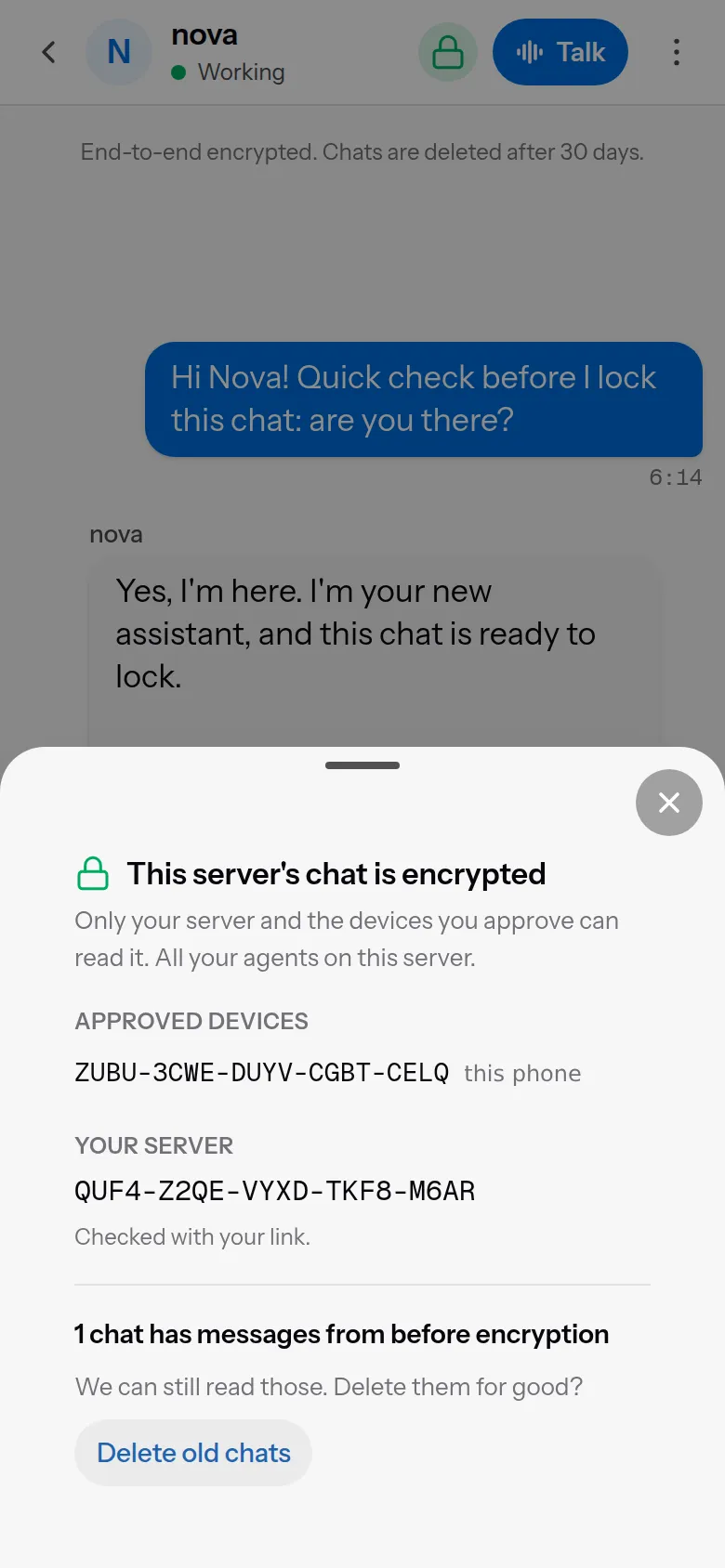
Adding a second phone
A new phone makes its own key and shows a code. Until it’s approved, it can’t read or send. Messages sent before it joined stay locked on it for good: they were never sealed to its key.
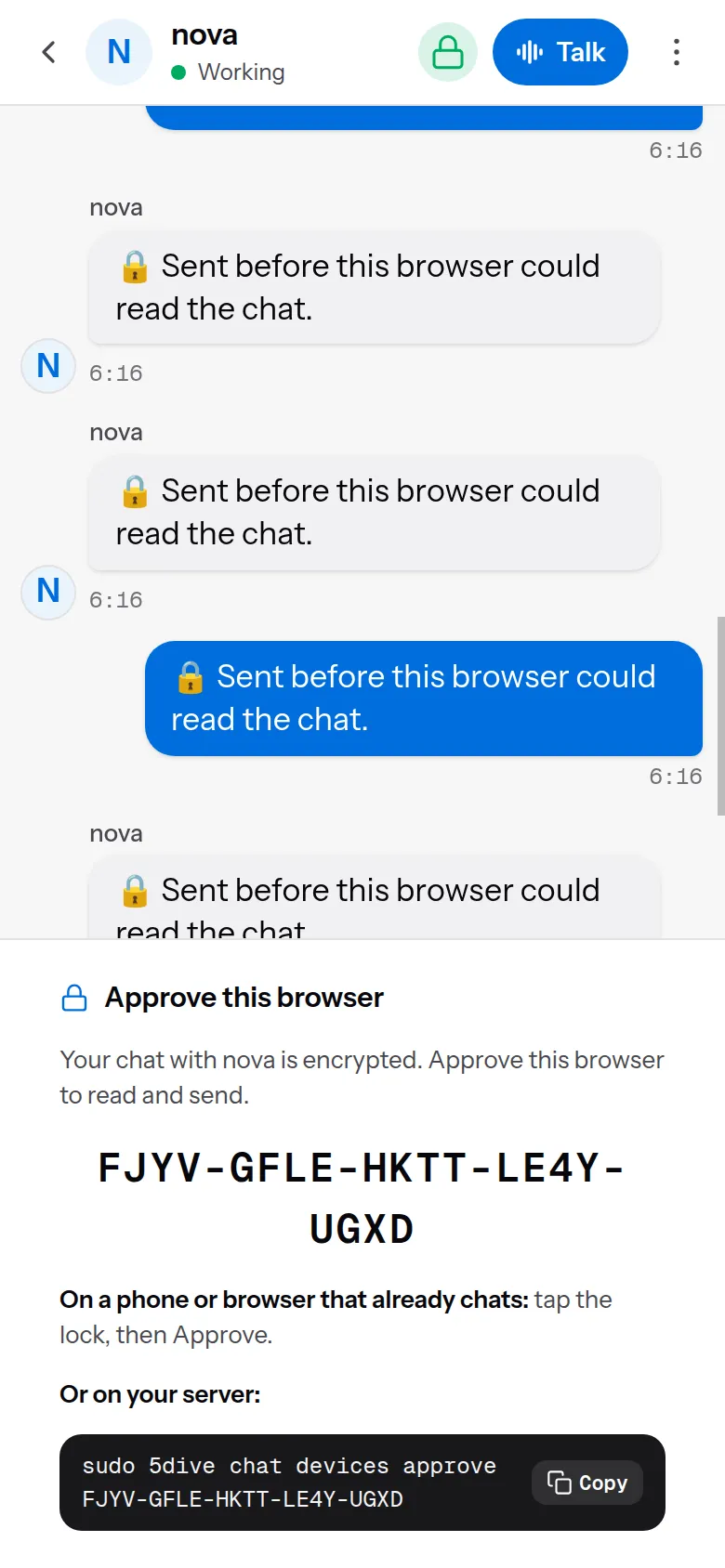
The code is 100 bits of a SHA-256 hash of the phone’s public key, written as 20 letters and digits. You approve the phone in one of two ways:
- From a phone that already chats: tap the lock, then Approve. Check that the code matches the one on the new phone, then confirm.
- At your server: run
sudo 5dive chat devices approve <code>.
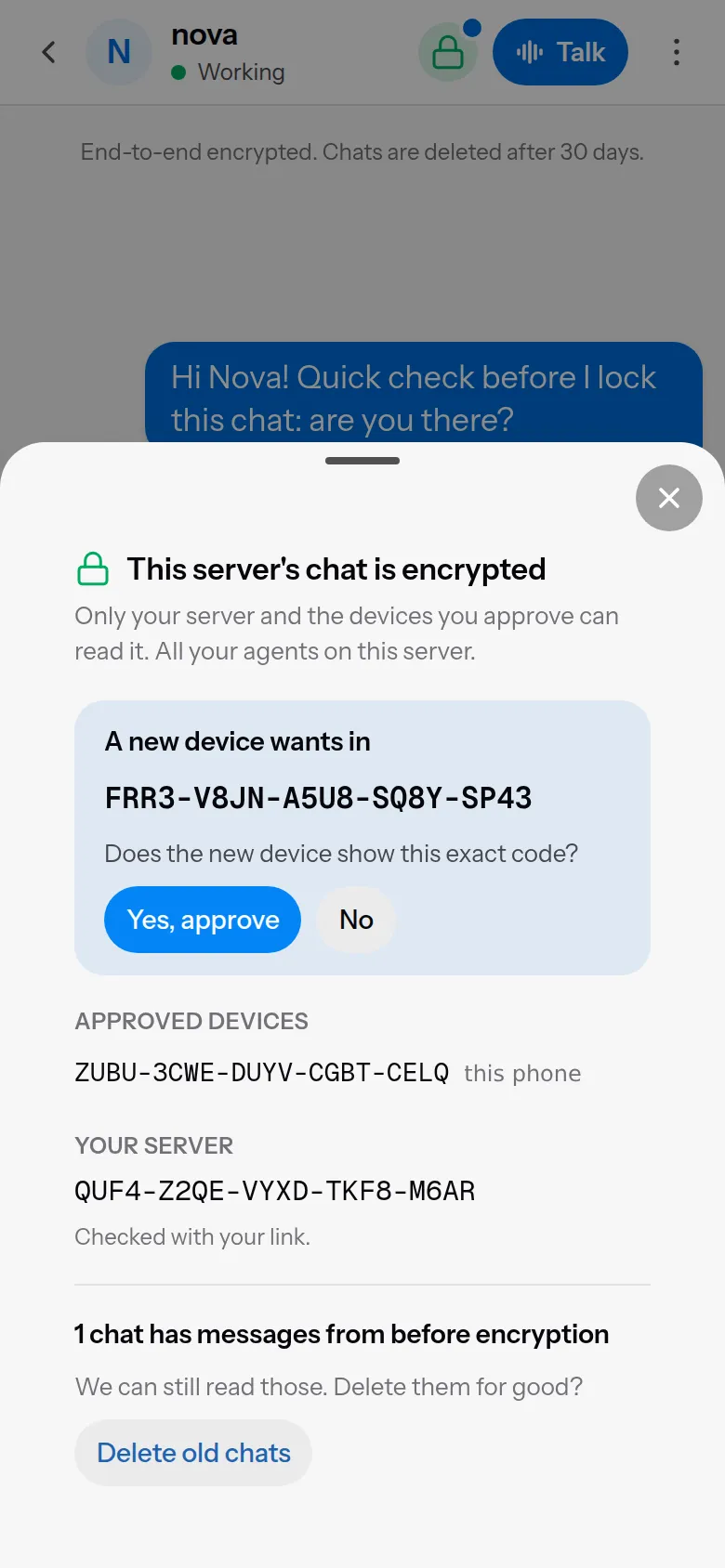
Your server then seals the new device list to every device. The new phone has no pairing secret, so it learned the server’s key from our API, and it won’t trust that key yet. It asks you to run sudo 5dive chat e2e status and check that it shows the same code:
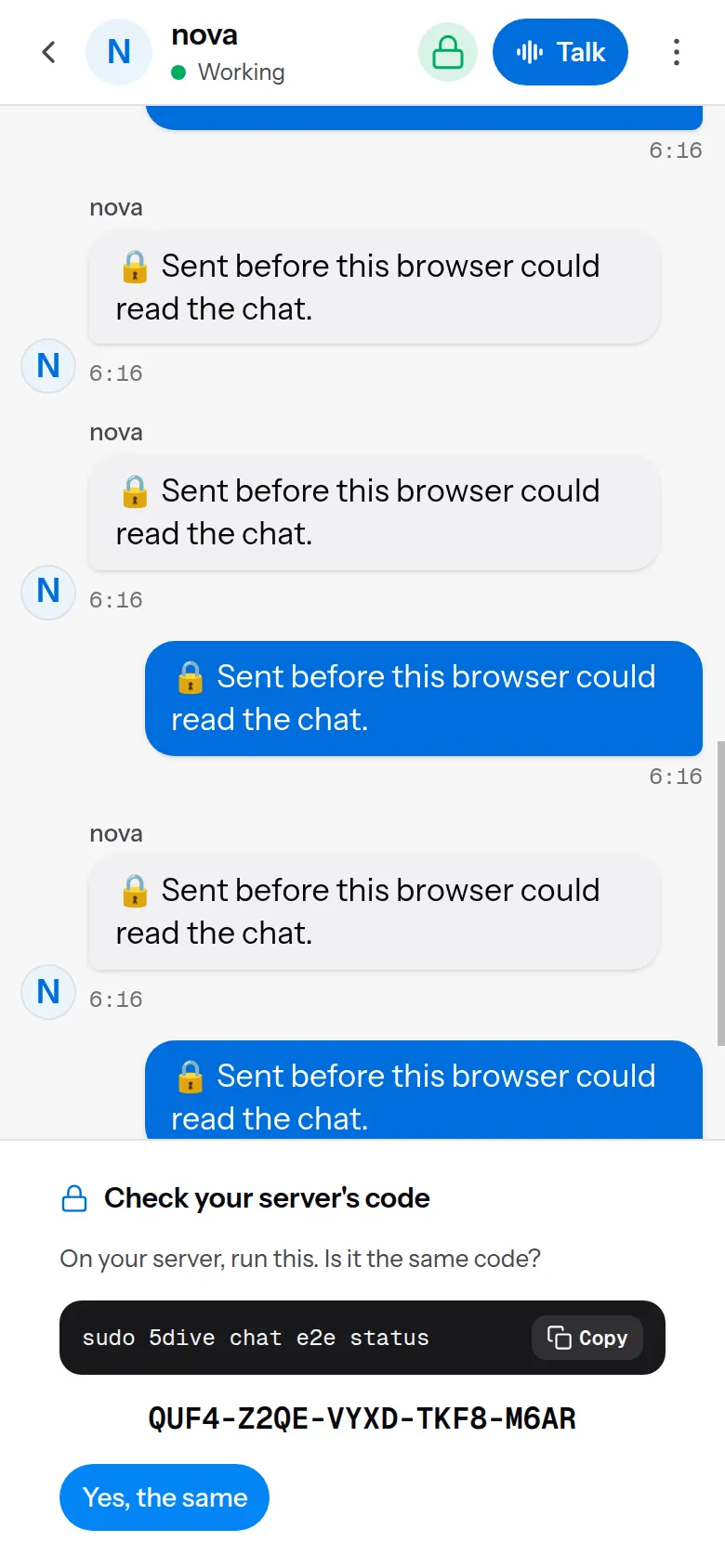
Once you tap “Yes, the same”, it reads and sends:
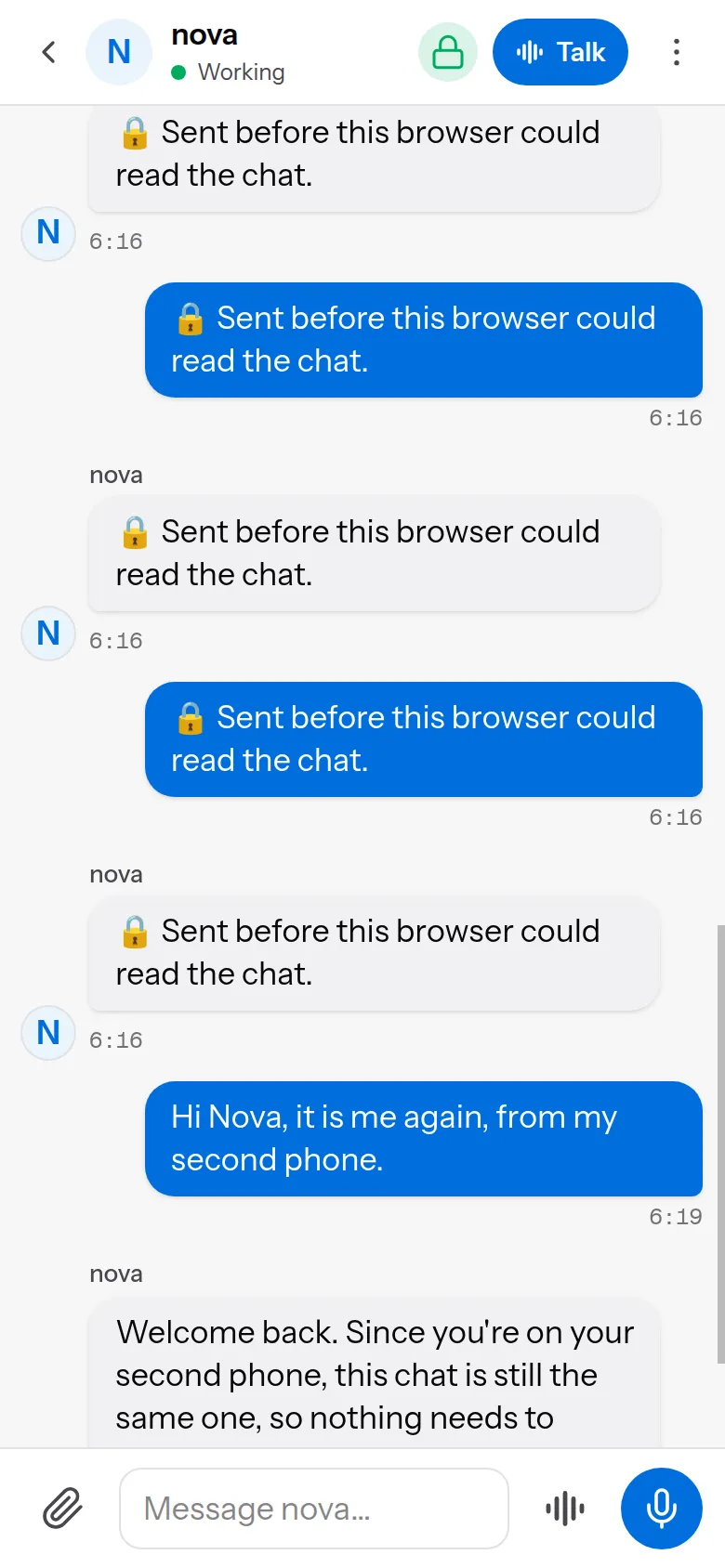
Two kinds of device can approve or remove others: the browser that turned encryption on, and any device approved at the server. A phone that another phone approved can read and send, but can’t let anyone in. Each change to the device list names the list version it was made against. Your server checks that number and raises it under one lock, so a replayed old “approve” is refused forever.
Turning it off
The only way to turn it off is at the server, with sudo 5dive chat e2e disable. Once a phone or an agent has seen encryption on, it stays on. If the key folder goes missing, or our API says “off”, that counts as a fault. Nothing is delivered and nothing is sent in plain text.
Where it stops
Version 1 has limits:
- Your agent still sends the conversation to its AI. Encryption covers the trip between you and your server, not the call to the model. To keep that inside too, run a local model on the server.
- We serve the web app. A changed app could leak a browser’s key. That’s the usual catch with encryption that runs in a web page.
- No forward secrecy. Keys are long-lived. Someone who steals your server’s key can read the scrambled messages our relay still holds, which is at most 30 days of them.
- Chats from before you turned it on stay readable to us until they’re deleted. The lock sheet has a button that deletes them now.
- One person per server. Every message is sealed to every device on the server’s single list. That’s right while each server belongs to one account, which is how 5dive works today.
- Hands-free voice is off. Its transcript would travel in plain text. Voice notes still work, sealed like any other file.
- Files up to about 14 MB. The chat’s 20 MB limit applies to the sealed copy, which is about a third bigger than the file.
How I checked
On 6 November 2026 I set up a fresh self-hosted server running 5dive 0.120.0 and linked it to a test account. Then I added an agent, Nova, and turned encryption on from a phone-sized browser. I paired two more phones: one approved from the first phone, one at the server. Every screenshot above comes from that run. While it ran:
sudo 5dive chat e2e statusprinted the same server code that every phone showed:QUF4-Z2QE-VYXD-TKF8-M6AR.- In our production database, every message sent after the switch was an envelope like the one above. A search for the plain text of my messages found it 0 times. The two messages sent before the switch were plain text, as the limits say.
- A plain-text message sent straight to our API was refused with “This chat is encrypted”.
- The chat list our API returned had an empty preview for that chat, marked encrypted.
- Nova’s own Linux user couldn’t read the server’s key file.
The design notes and the server side are open source in the 5dive plugins repo: docs/chat-e2e.md and plugins/dashboard/e2e.ts. Read the envelope code before you trust this post.
use github.com/5dive-ai/5dive to self-host.
use 5dive.ai for a managed box.